 downrange
Mission control for rockets, satellites and test stands
Downrange shows your telemetry live, checks it against your limits, puts the whole sequence on screen before it happens and ticks off the procedure as it goes. It runs on a laptop at the launch site, with no account and no internet.
From download to a live console in a minute
Open it and pick a template. Each one is a whole console with data already flowing, so you can see it work before you build anything.
See one working
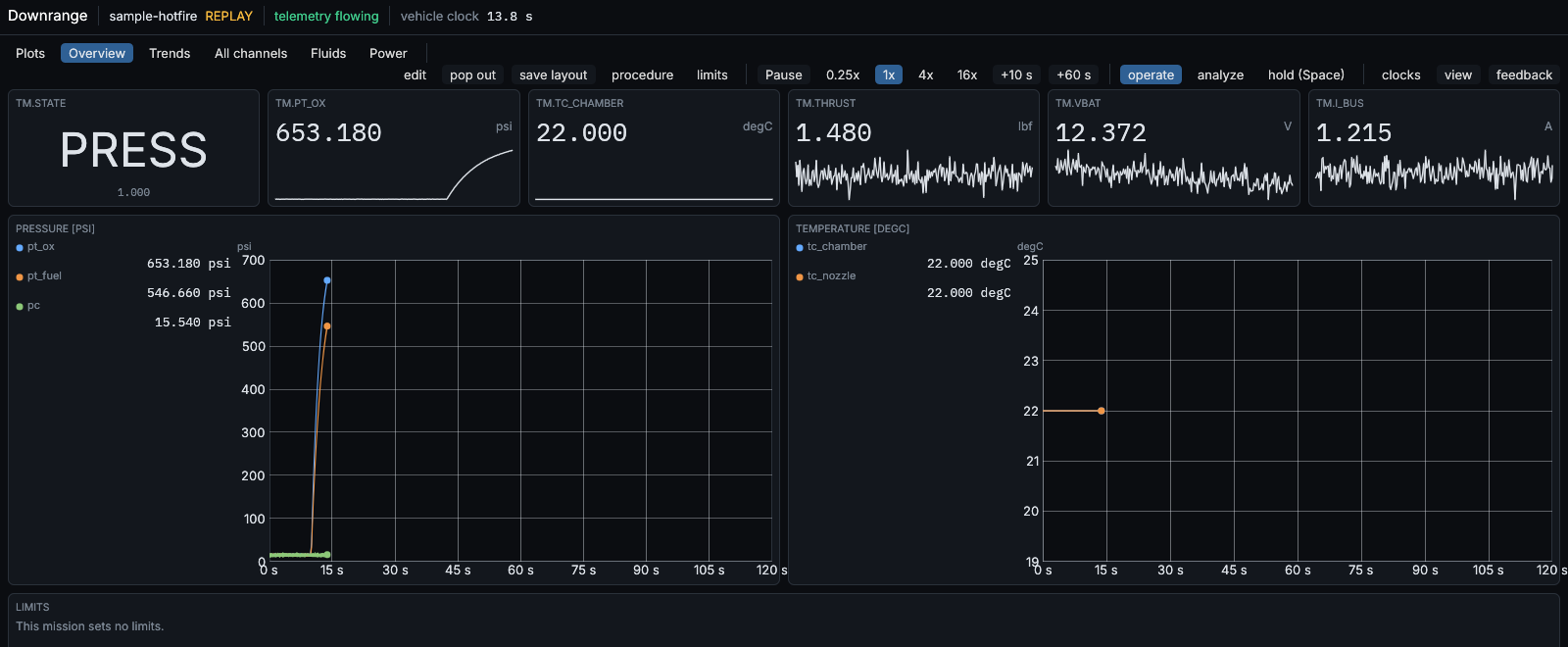
Eight templates, from a real rocket flight to a thermal vacuum test. Each has pages, limits, a planned sequence, clocks and a procedure.
Bring your own data
Drop a CSV log on the window, or point a workspace at your serial port or UDP port. Your vehicle code doesn't change.
Make it yours
Move, resize and add widgets, set limits, add clocks, then save the layout. It's a plain text file you can keep in git.
Eight consoles to start from
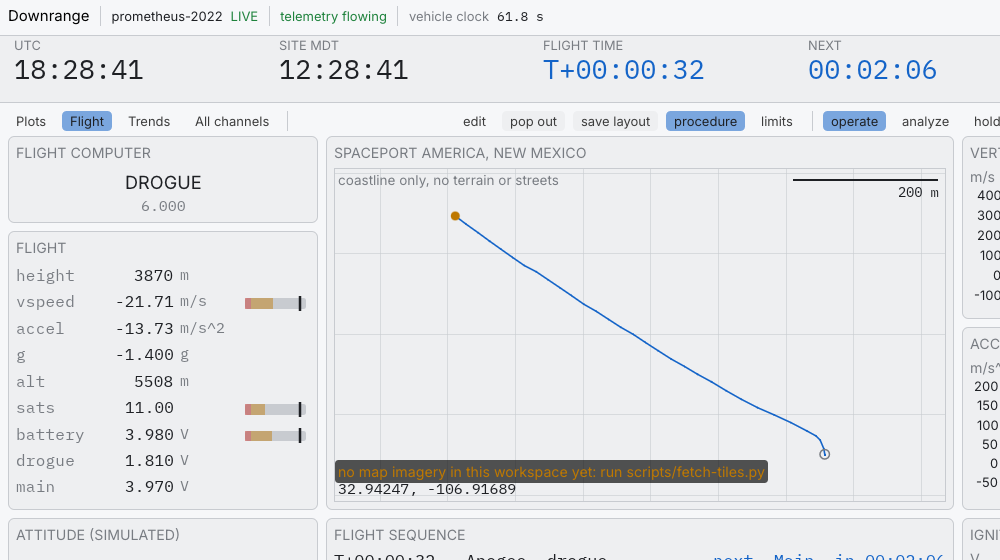
The sounding rocket plays a real flight: Prometheus, by the Western Engineering Rocketry Team, at Spaceport America Cup 2022, from its own flight computer's log. The others are simulators. The slow ones run faster than real time, and say so.
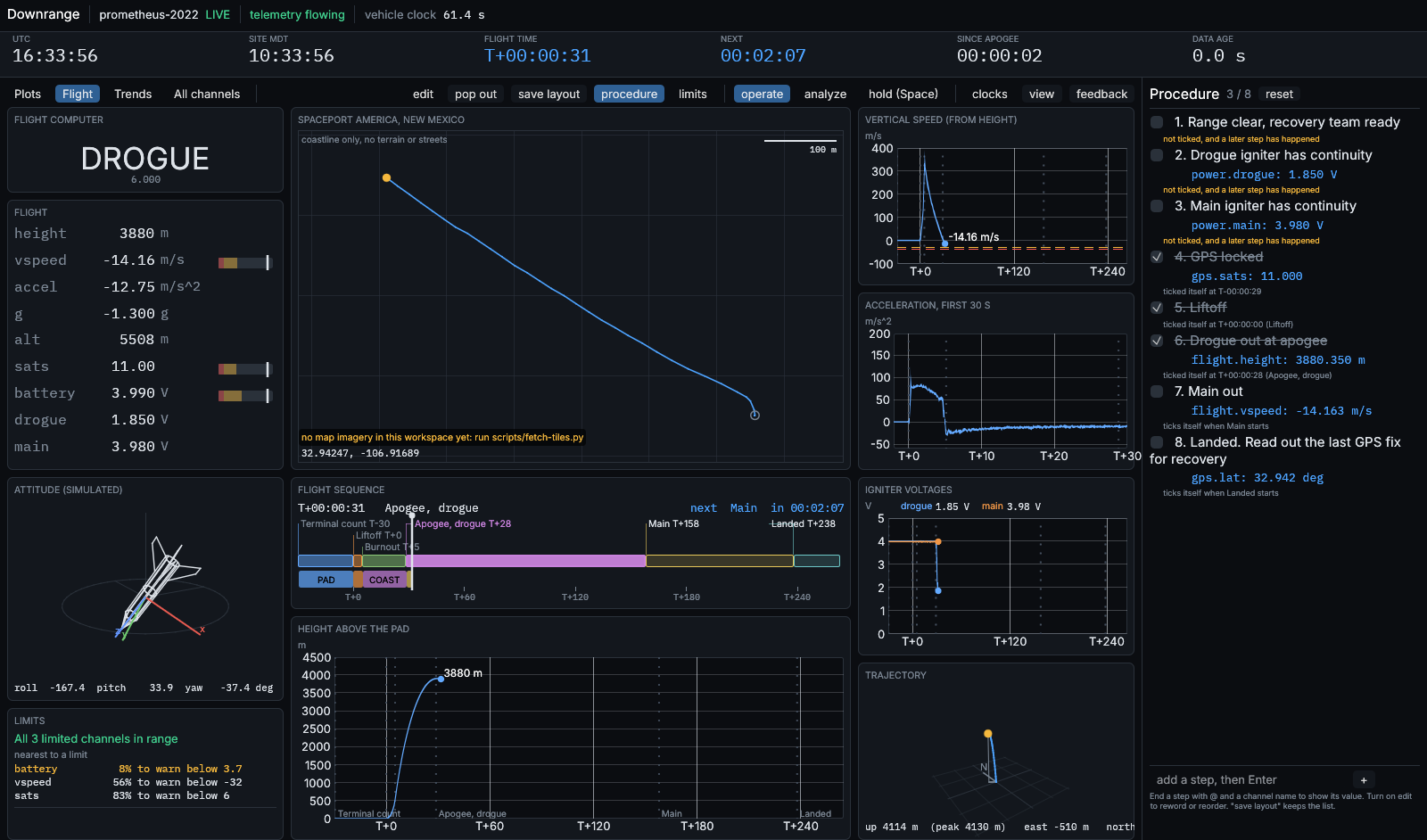
- The flight computer's own log, played as if live
- The sequence from liftoff to landing, visible before it happens
- Height, vertical speed and acceleration on fixed axes from T-0
- Igniter voltages: the drogue charge's drops when it fires
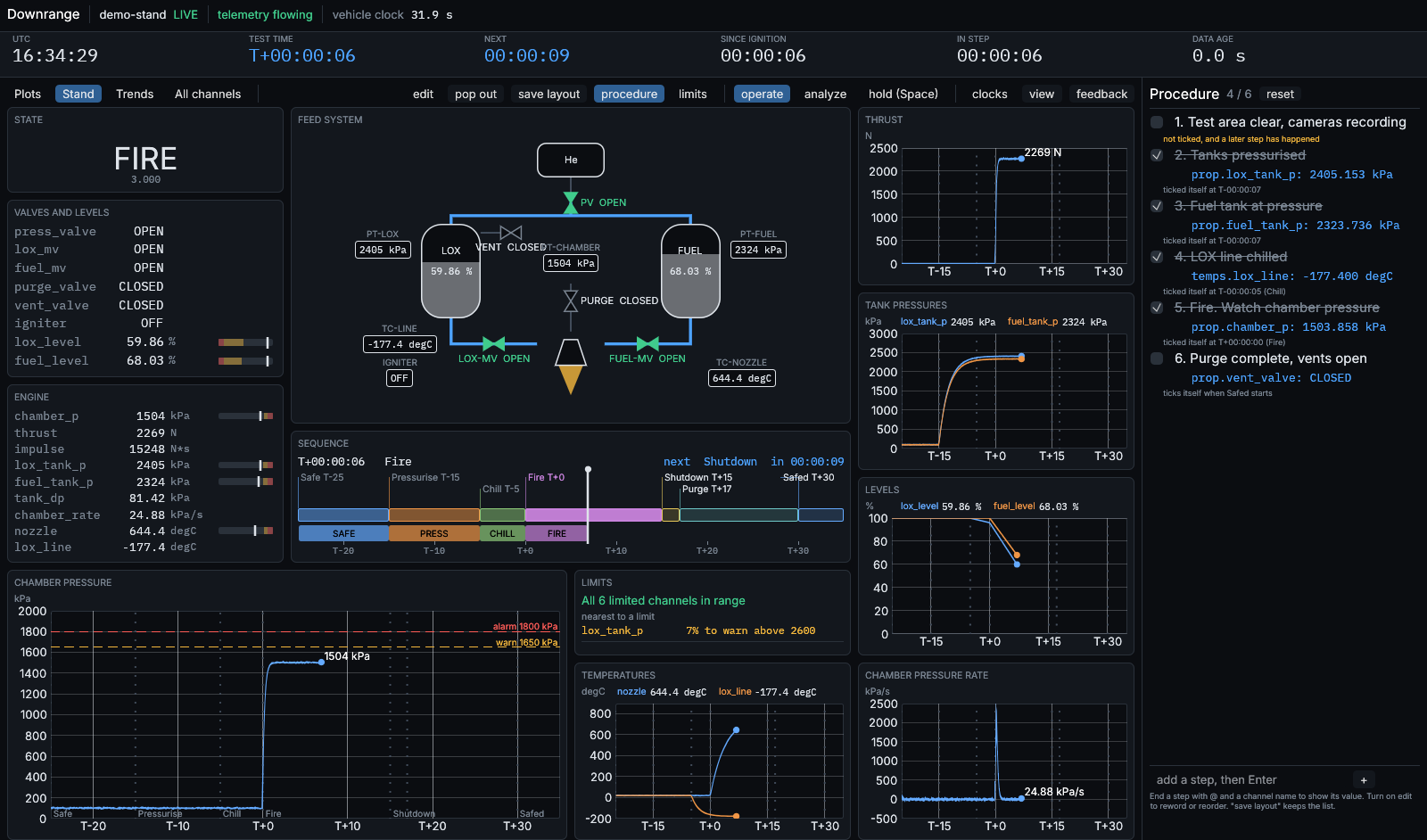
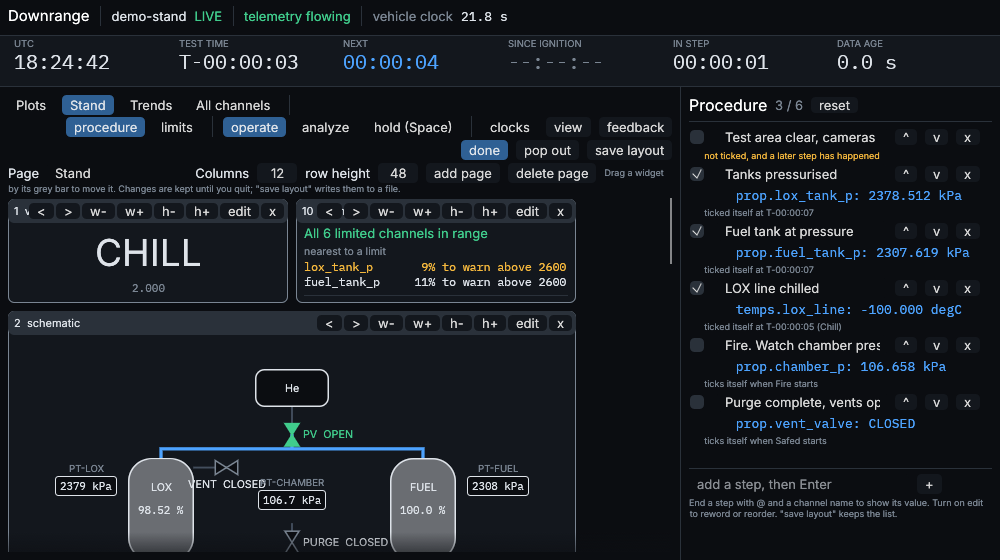
- A P&ID with live pressures, temperatures and valve states
- The hot-fire sequence from pressurisation to safing
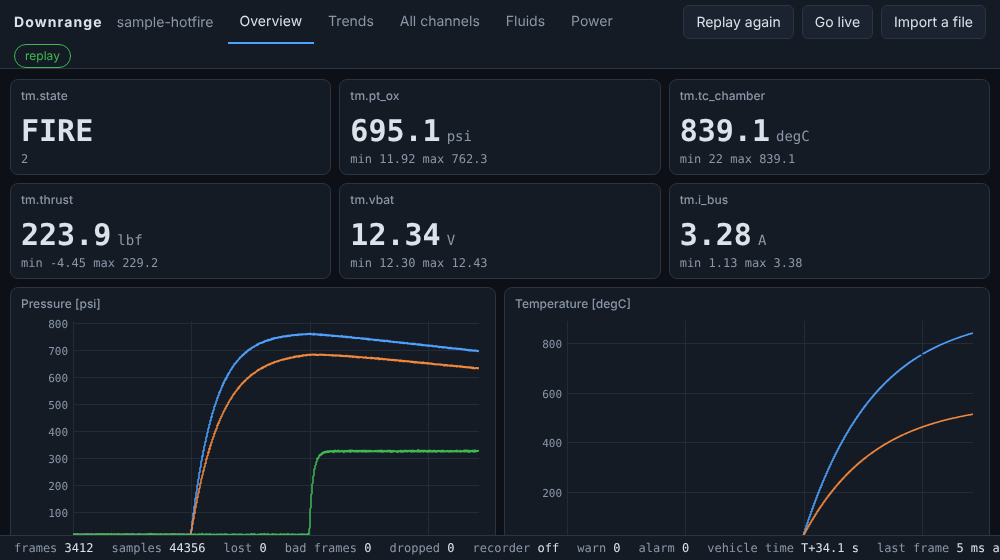
- Thrust, tank and chamber pressure against their redlines
- A procedure that ticks itself as each step happens
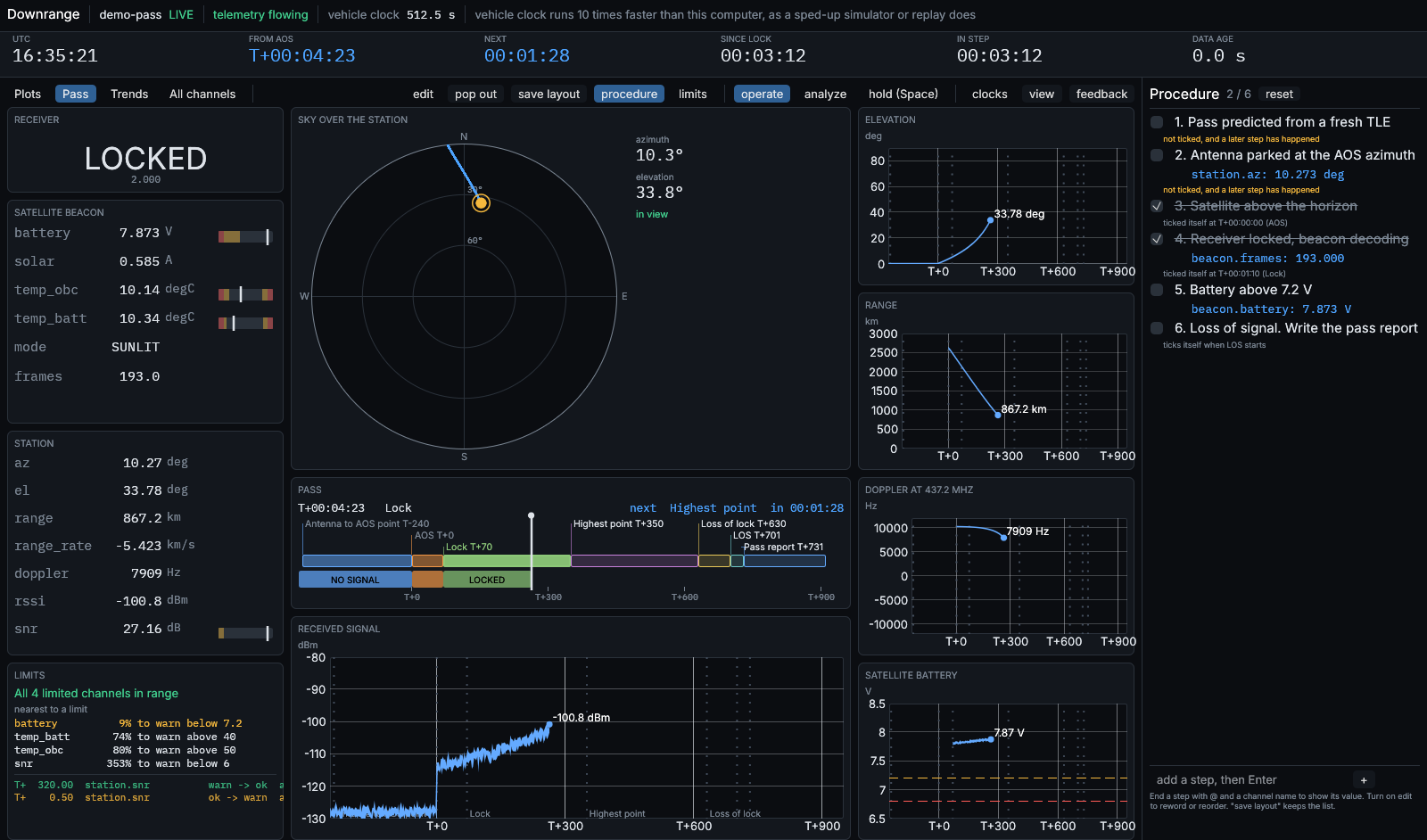
- A sky plot of the pass over the station
- AOS, lock, highest point, loss of lock and LOS on one line
- Signal, range and Doppler at 437.2 MHz
- The beacon, heard only while the receiver is locked
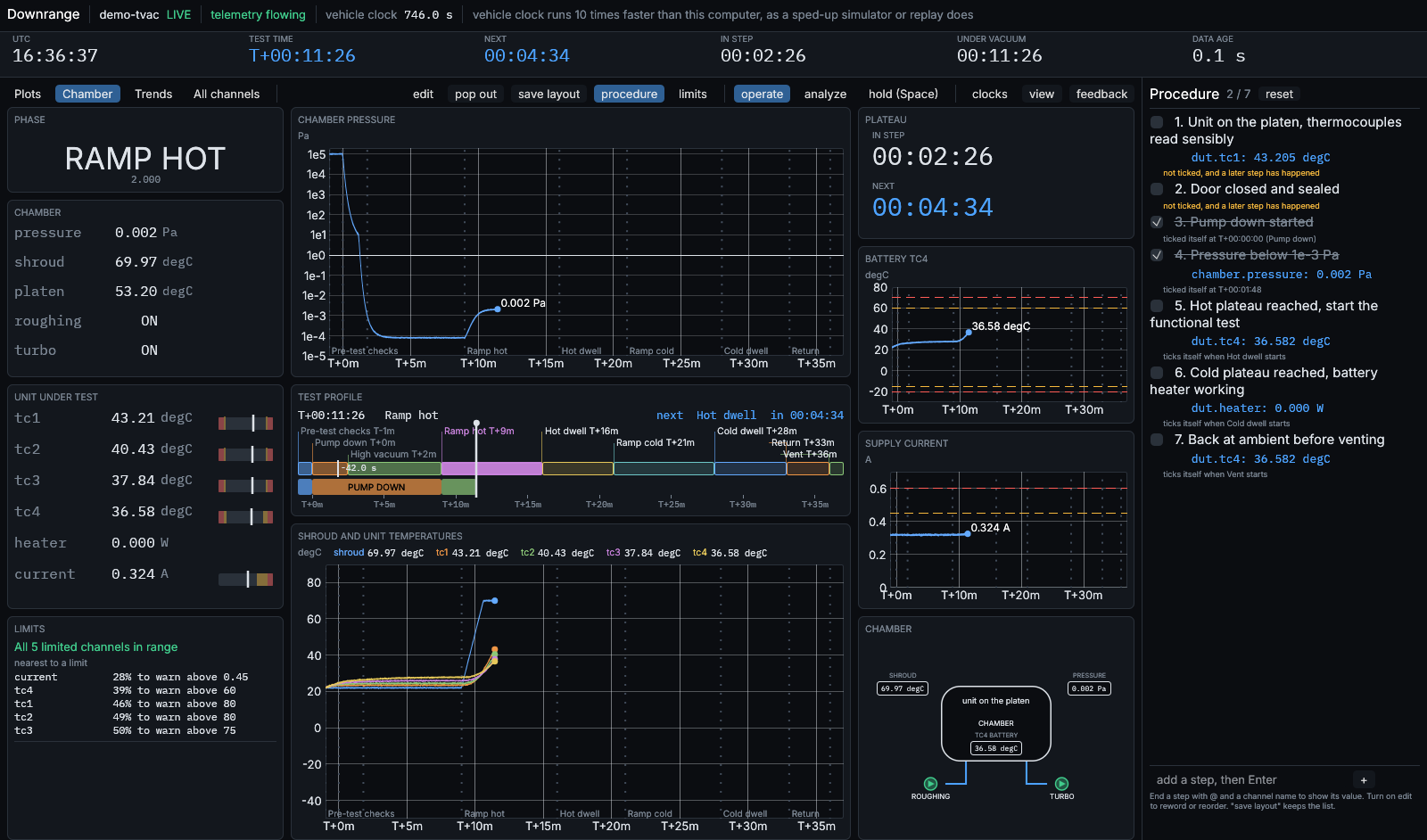
- Chamber pressure on a log scale, from air to high vacuum
- The whole profile: pump down, hot and cold plateaus, vent
- A dwell clock against each plateau's planned length
- Thermocouples against the unit's qualification limits
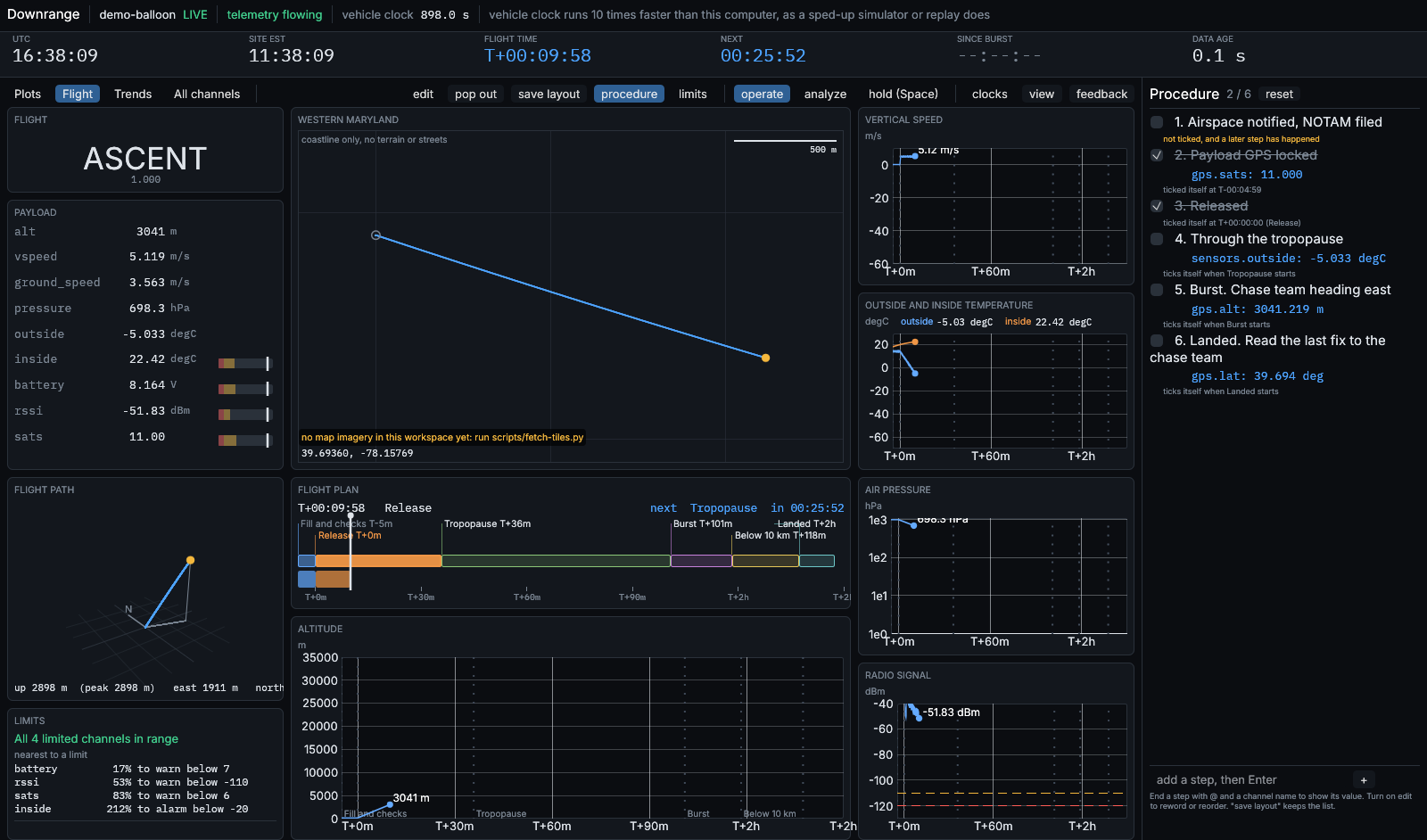
- Release, tropopause, burst and landing on one timeline
- Altitude, vertical speed and air pressure to 31 km
- Outside and inside temperature, battery and radio
- The track on a map for the chase team
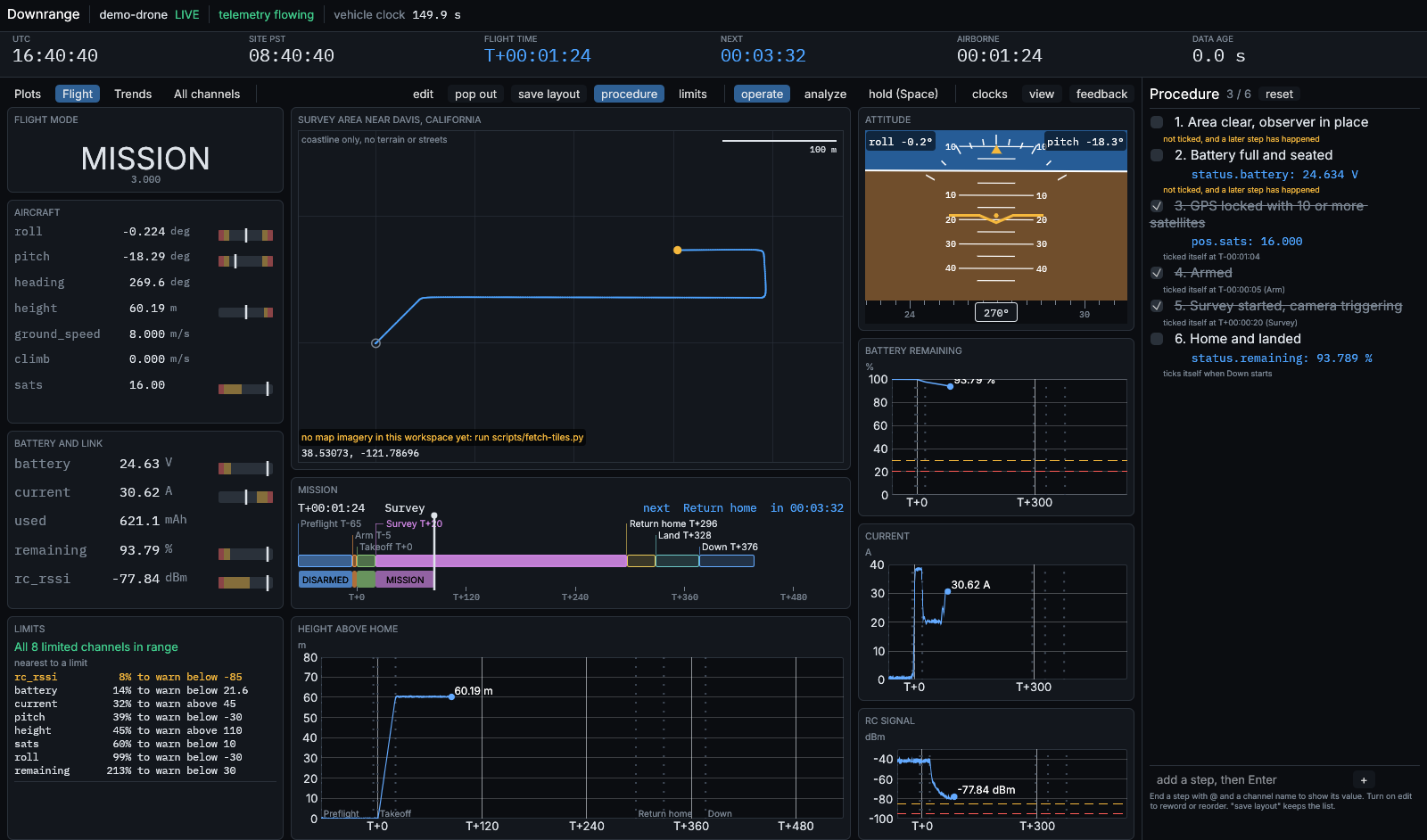
- An attitude indicator with pitch ladder and heading tape
- The survey pattern on a map, and the mission from arm to land
- Height, battery remaining, current and the RC link
- Tilt and battery limits that raise the band across the top
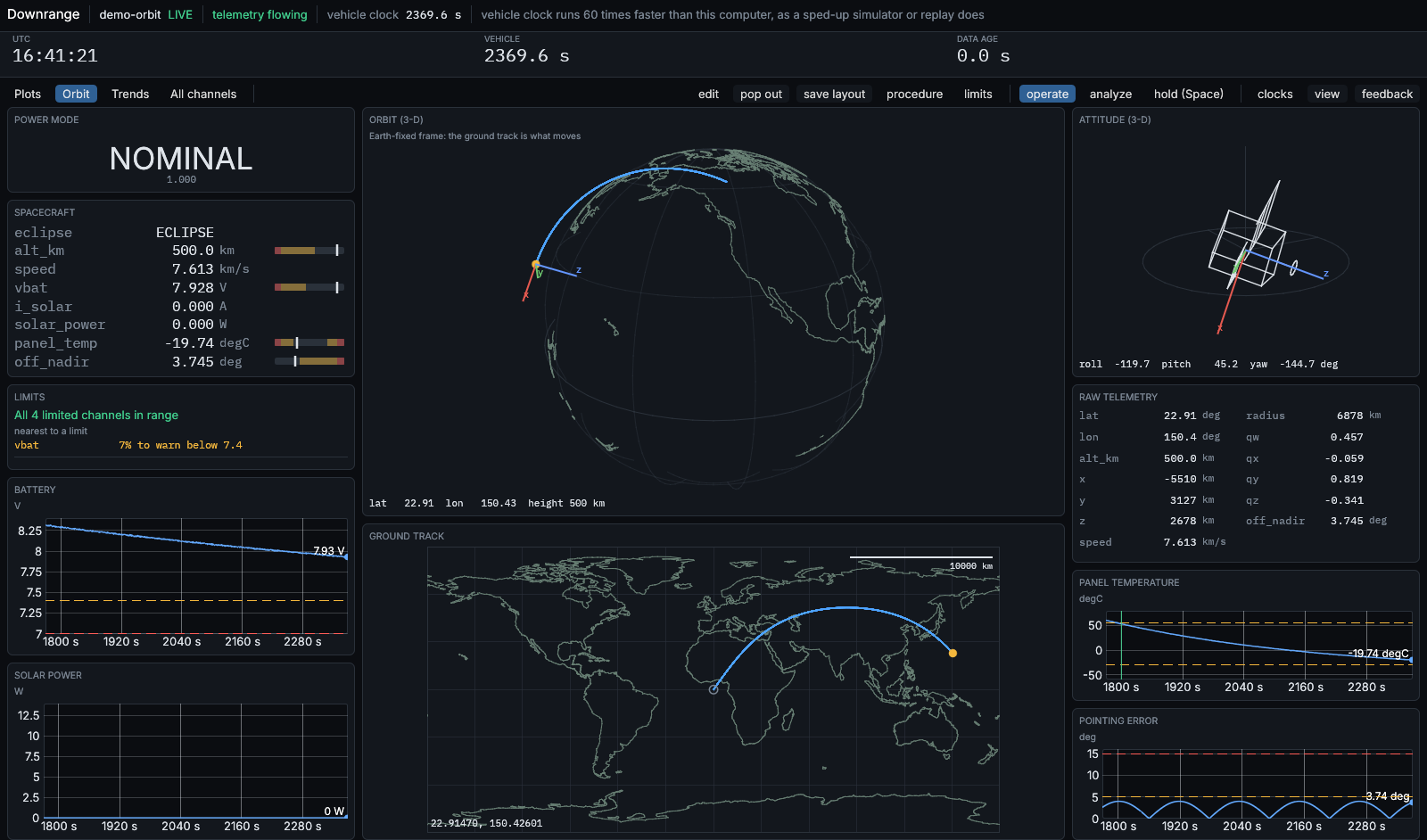
- The orbit on a globe and the ground track on a map
- Attitude in 3-D with roll, pitch and yaw
- Power mode, eclipse, battery and solar power
- Runs 60 times faster than real time
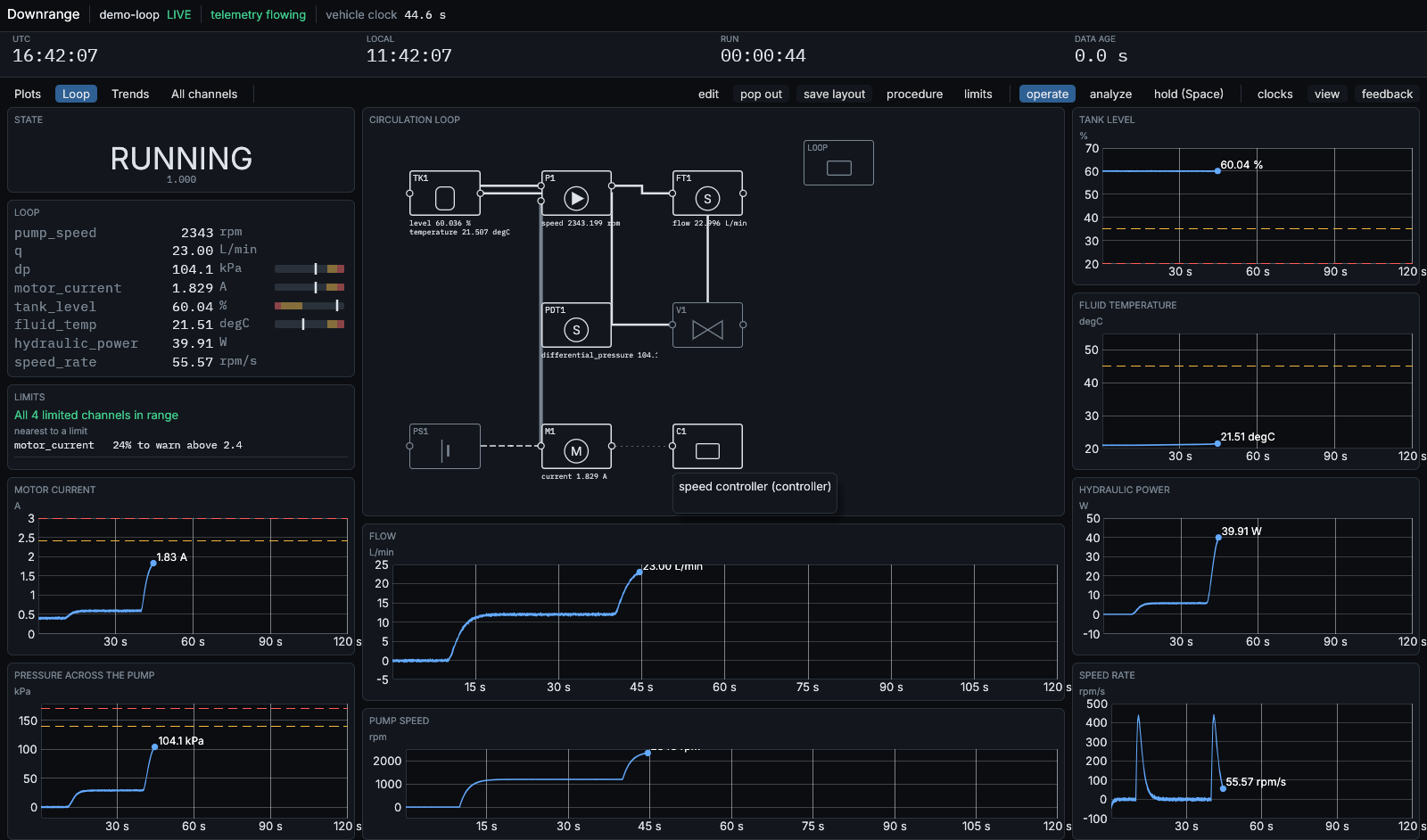
- A system diagram drawn from a system definition file
- Each part shows whether its data is fresh, stale or missing
- Model checks that flag a sensor drifting from the physics
- Flow, pressure, motor current and speed plots
Bring the data you already have
Drop a CSV log from your flight computer or DAQ onto Downrange. It reads the columns, guesses names, units and what each one measures, tells you how sure it is, and builds the pages. You check its work before anything is written.
For live data, pipe any program's output into downrange-feed. It reads serial ports and lines of CSV, JSON or key=value, so your vehicle code doesn't change.
# lines like: t=12.31 pc=325.7 thrust=224.6
your-logger | downrange-feed \
    --mission mission.toml \
    --format kv --time t:s

# or straight from a serial port
downrange-feed --mission mission.toml \
    --serial /dev/ttyACM0 \
    --baud 115200
A log file
Drop a CSV on the start screen. Downrange proposes the mission file and pages, with a reason for every guess. Then replay it at any speed.
$ downranged import hotfire.csv \
    --out my-stand
A serial port or text stream
Put the port in the workspace once. downrange open starts the reader with the console, and maps your names onto the mission's.
# workspace.toml
[input]
source = "serial"
address = "/dev/ttyACM0"
baud = 115200
format = "kv"
time = "t:ms"
Binary packets over UDP
Describe your packets in mission.toml, field by field, and send them to the UDP port. Downrange decodes, checks and records them.
[[packet]]
id = 1
name = "tm"
rate_hz = 50
  [[packet.field]]
  name = "pc"
  type = "f32"
  unit = "kPa"
Starting from a file you have Live input in a workspace The mission file
See what's coming
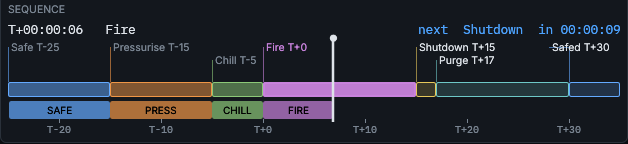
The whole sequence is on screen before it starts, every step with its planned time, and a line at now moves along it. When a step starts late, it says by how much.
A strip of clocks sits over every page: UTC, site time, T- and T+, L-time and T-time with built-in holds, the next step, time in step, data age. Add and remove them as you like. Procedure steps tick themselves when their step starts or their condition holds.
Nothing moves under your hand
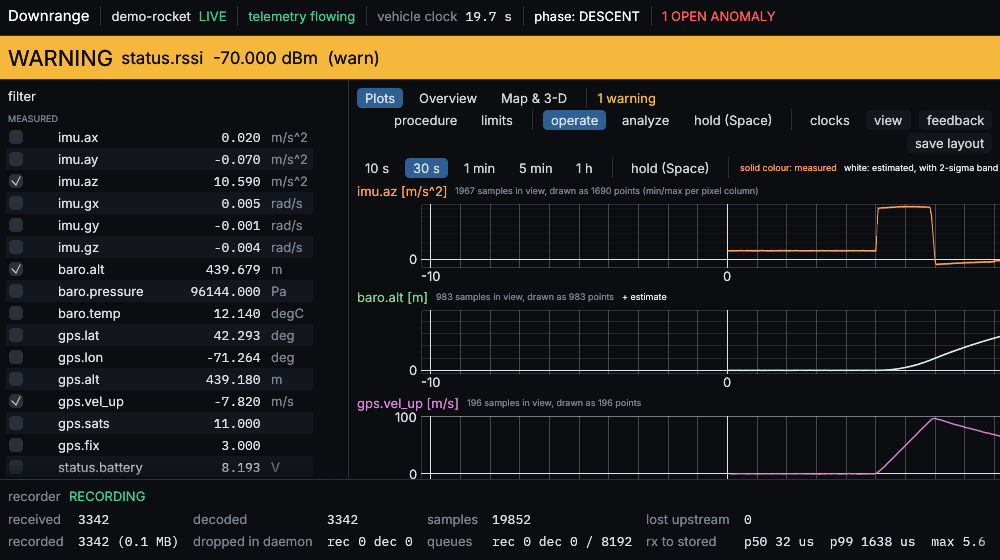
While operating, plots don't zoom, pan or scroll, every axis says what it measures, and the page fits the window. Scales are set in the layout or grow to fit the run, and never jump between glances.
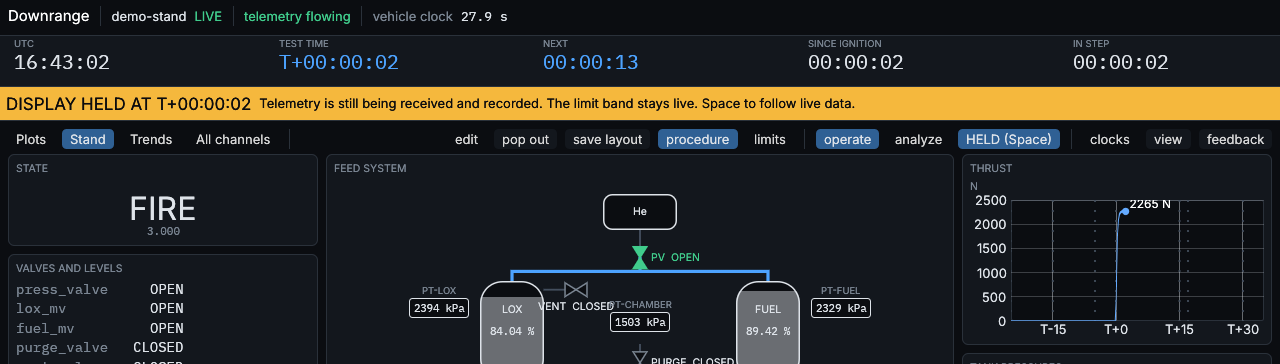
Hold freezes every page at the instant you press Space, while telemetry keeps arriving and being recorded. The limit band stays live. Switch to analyze when you want the pointer back.
Made for the people at the console
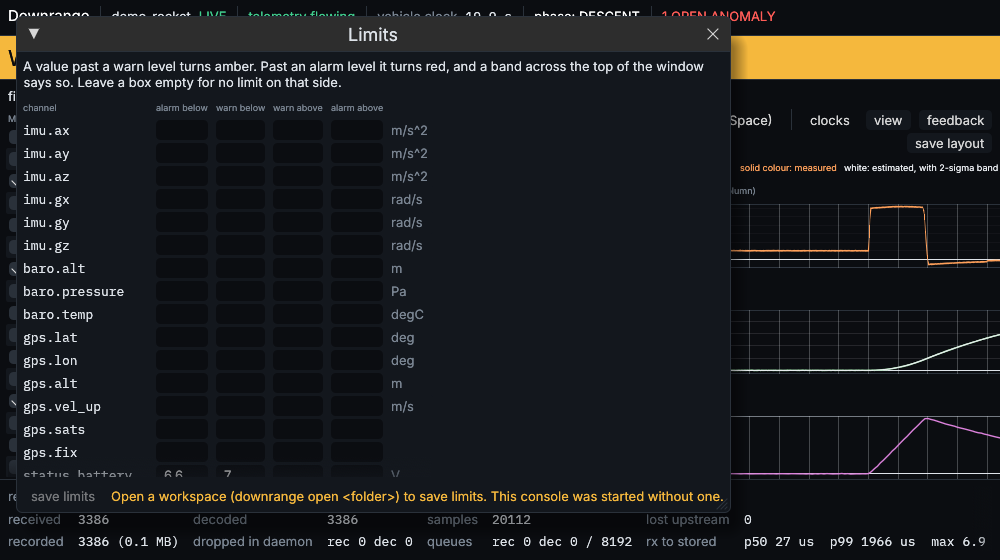
Several of these came straight from tester feedback: thicker lines for reading outside, limits you can set yourself, and a procedure the next crew can follow.
Next to the tools you know
Yamcs and OpenC3 COSMOS run spacecraft and send commands. Open MCT is a framework for building your own web displays. Synnax and LabVIEW drive test stands. Downrange is the one you download and open, with nothing to set up first, for watching a run and recording it.
Clear for launch
Download it, open a template, and watch a real flight fly. Then tell us what your console needs.