 downrange
What you can use it for
Six jobs Downrange is built for, each with the template or command to start from. The rocket screenshot is a real flight's log played back; the others are simulated data.
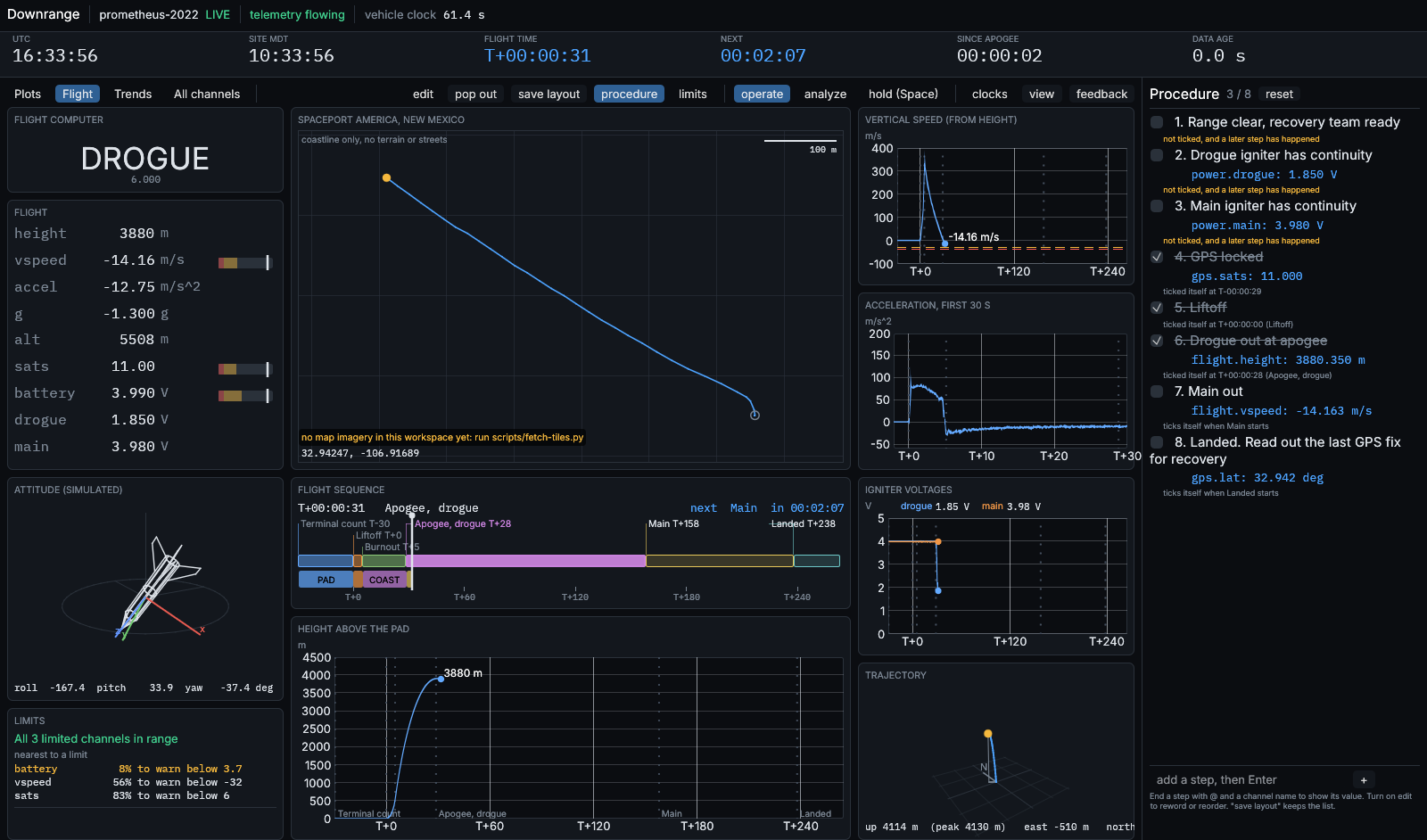
A rocket flight, from pad to recovery
For amateur and university teams flying their own avionics. The template plays a real flight: Prometheus, by the Western Engineering Rocketry Team, at Spaceport America Cup 2022, from its own flight computer's log. The console shows the flight computer's state in large type, the whole sequence from liftoff to landing before it happens, the ground track, and the numbers a launch crew keeps an eye on: height, vertical speed, acceleration, igniter continuity, battery and GPS.
If a value leaves its limits, an amber band across the top says which one. After landing, replay the flight through the same checks, or export it for your report.
Start from the Sounding rocket template. Read the mission file to describe your radio packets.
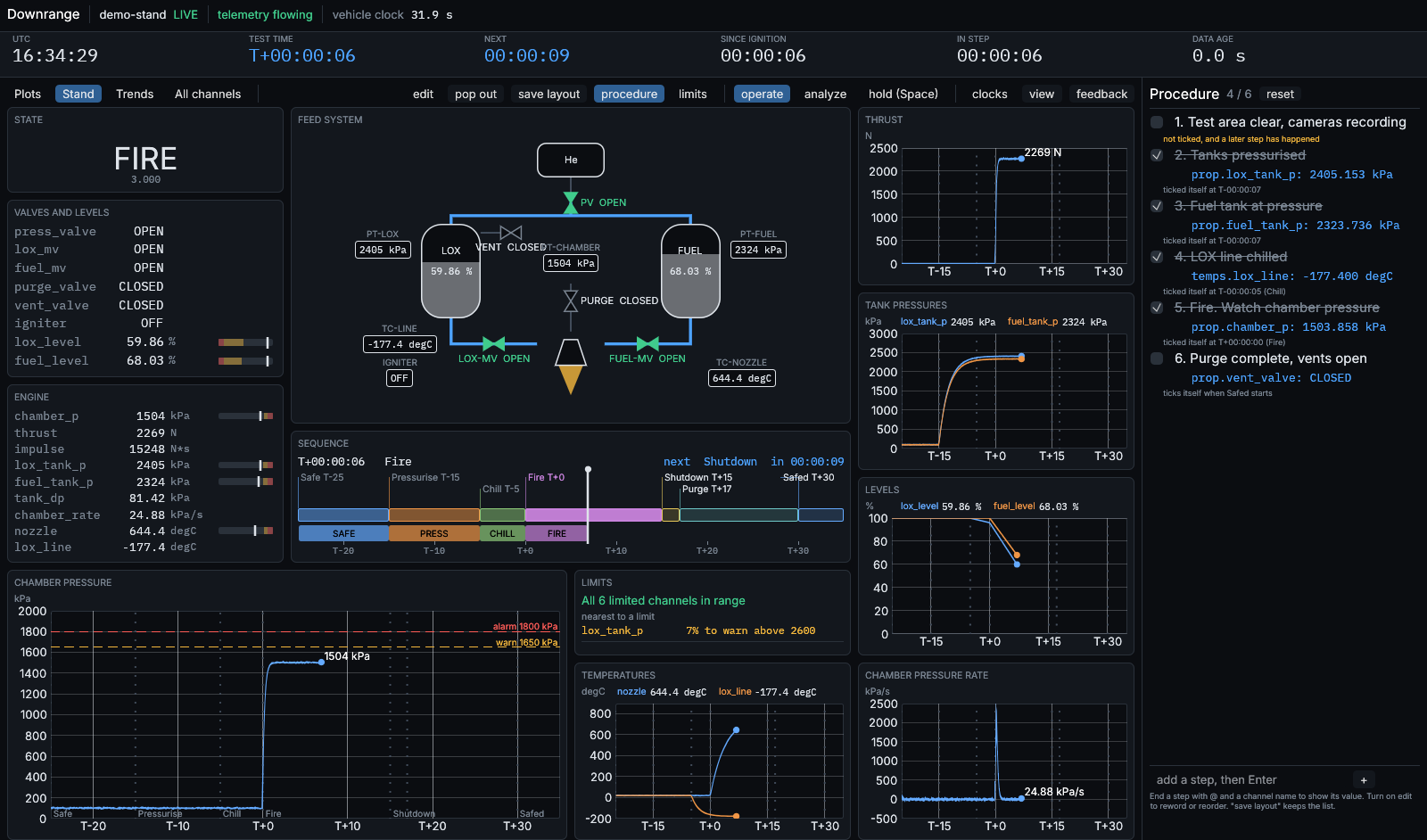
Hot fires and cold flows on a test stand
The P&ID shows every valve and pressure where it sits in the plumbing. The sequence timeline shows where the run is. Thrust and chamber pressure plot against their redlines.
The procedure panel holds the countdown steps. A step can show the value it depends on, so "tank at pressure" shows the tank pressure right there. Write the steps once and the next crew runs the test the same way.
Start from the Engine test stand template. Read dashboards for schematics and procedures.
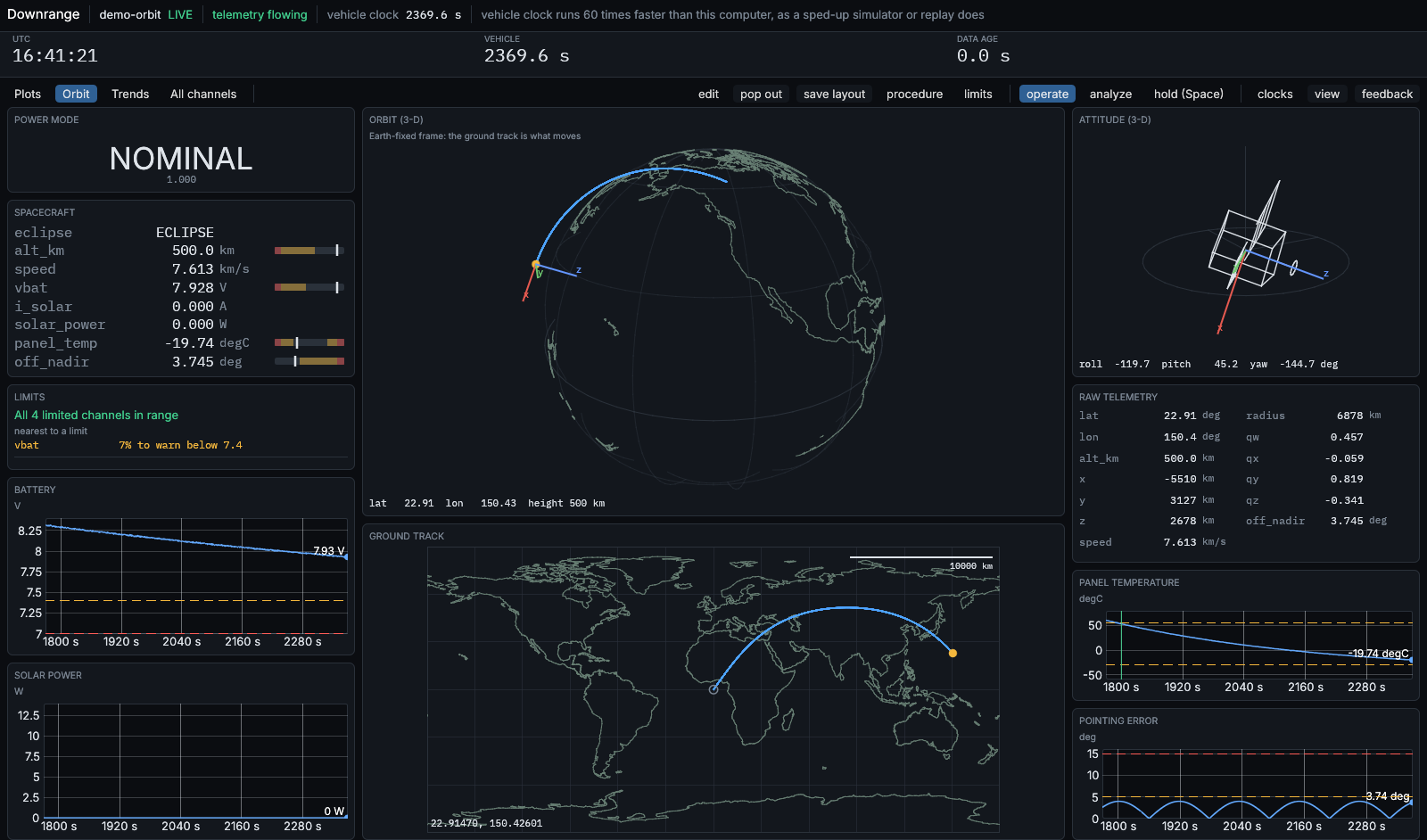
A small satellite on the bench
For CubeSat teams testing flat-sats and flight units. The globe and map show the orbit and ground track from the telemetry. The attitude view shows the spacecraft's orientation. Power mode, eclipse, battery and solar power sit together.
The template's simulator runs about sixty times faster than real time, so a whole orbit passes in under two minutes. Downrange draws the orbit you send it. It doesn't propagate orbits or read TLEs.
Start from the Satellite template.
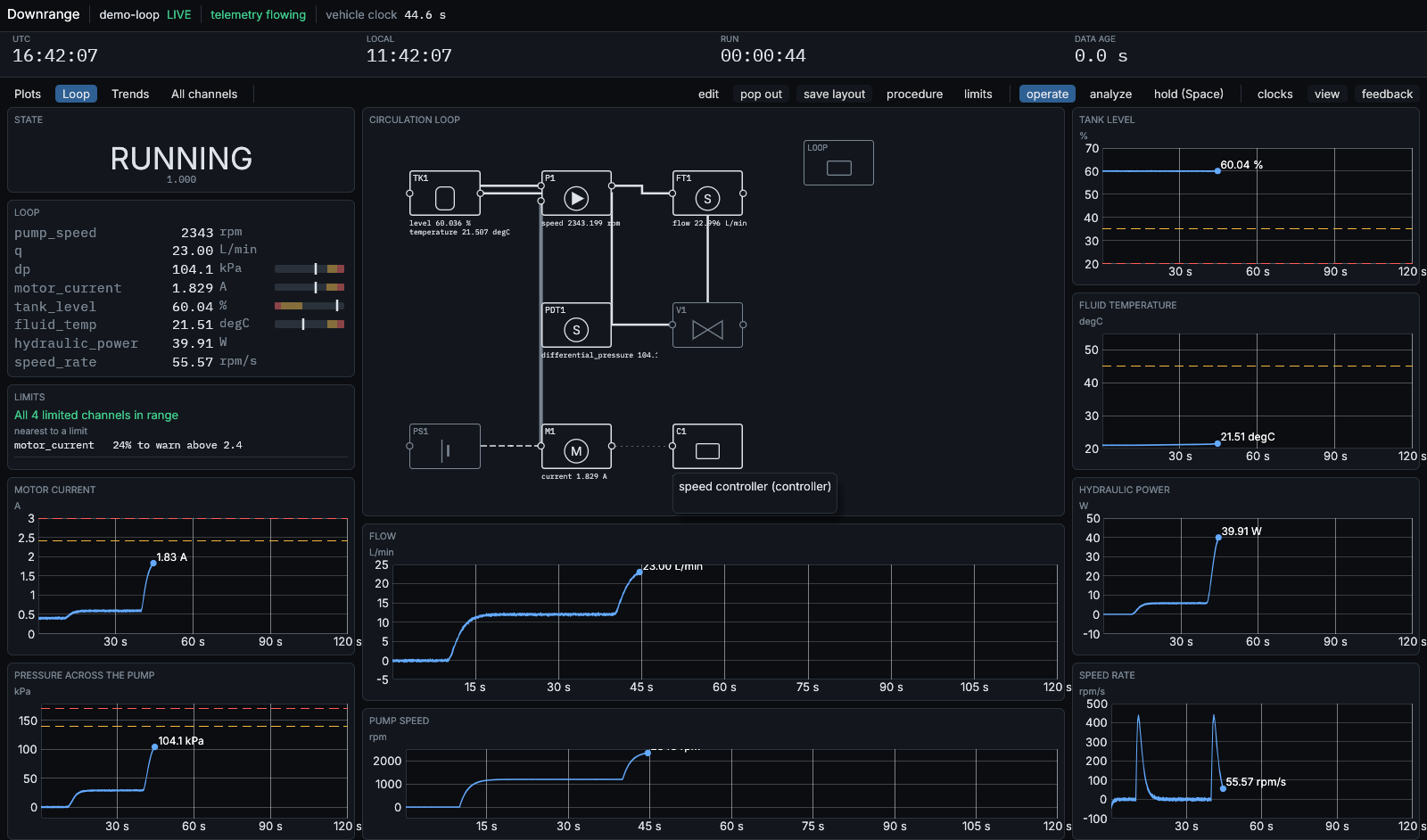
Lab rigs and hardware in the loop
Describe the rig once in a system definition: its parts, how they connect and which channel each sensor sends. Downrange draws the diagram from it and marks each part's data as fresh, stale or missing.
Model checks compare sensors against simple physics and flag one that drifts, naming the parts involved and the explanations it can't rule out. After the run, downranged evaluate checks your requirements and says PASS, FAIL or INCONCLUSIVE, with the evidence.
Start from the Pump loop template. Read the system definition and model-based monitoring.
Reviewing a test from a log file
Already have a CSV from a flight computer or a DAQ? Drop it on the start screen. Downrange proposes channel names, units and pages, with a reason for every guess, and turns the log into a recording you can replay.
Pause it, slow it down, skip to the interesting part. downranged report writes a single HTML file with the plots, limits and alarm log to send to the team.
downrange import hotfire-2026-11-14.csv
downrange open hotfire-2026-11-14
A second screen for the room
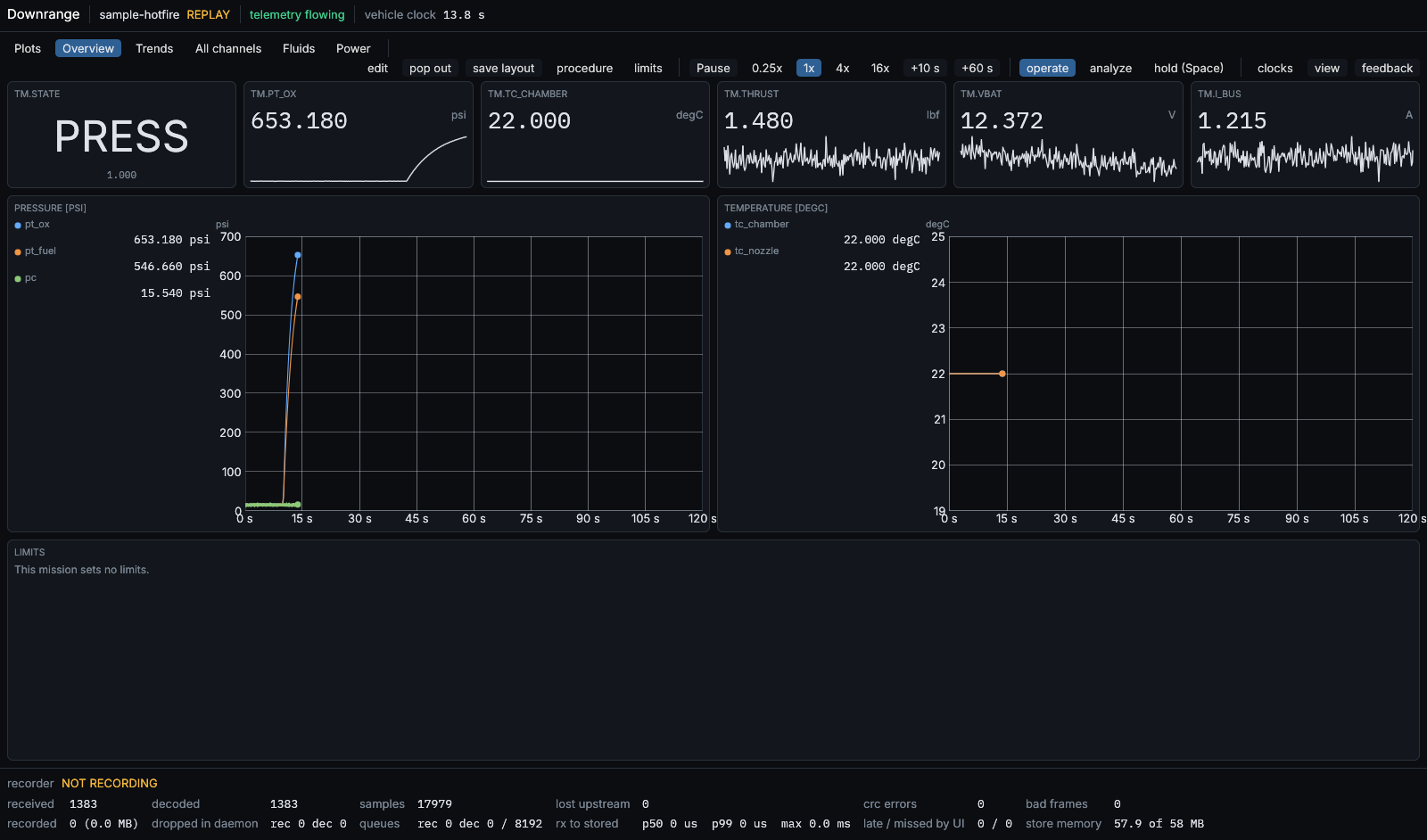
Pop any page out into its own window for a second monitor. Or open the browser console on the same computer and put it on a projector. It's served on this computer only, so nothing is exposed to the network.
Outside at the launch site, the outdoor preset switches to a light theme with larger text and thicker lines.
Read the web version and workspaces.
Using it for something else?
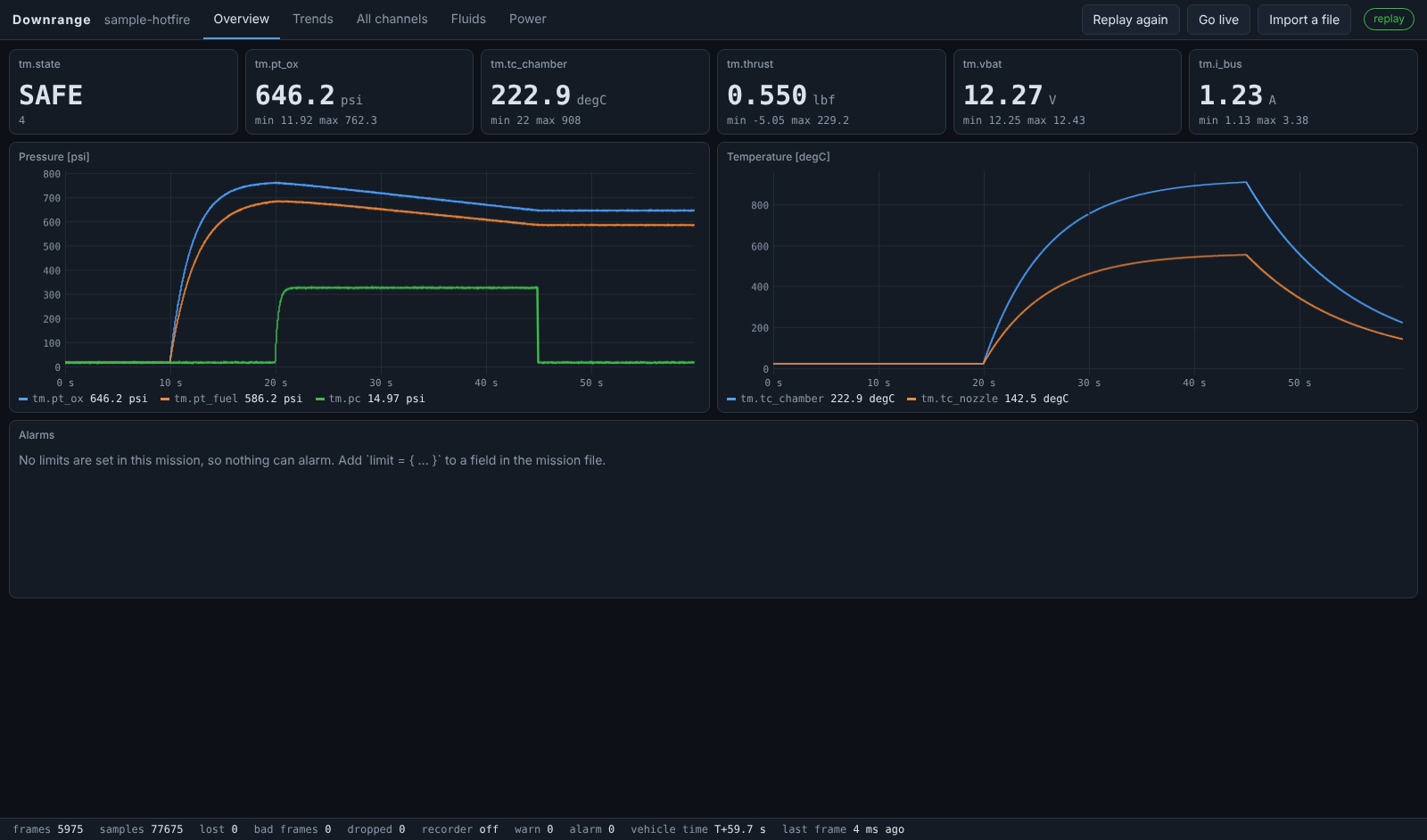
Drones, balloons, rovers, a bench power supply. If it sends numbers, Downrange can probably show them. Tell us what you're building and what got in the way.